Mesh Blend Lite
A lightweight real-time mesh blending solution for Unreal Engine. View on Fab
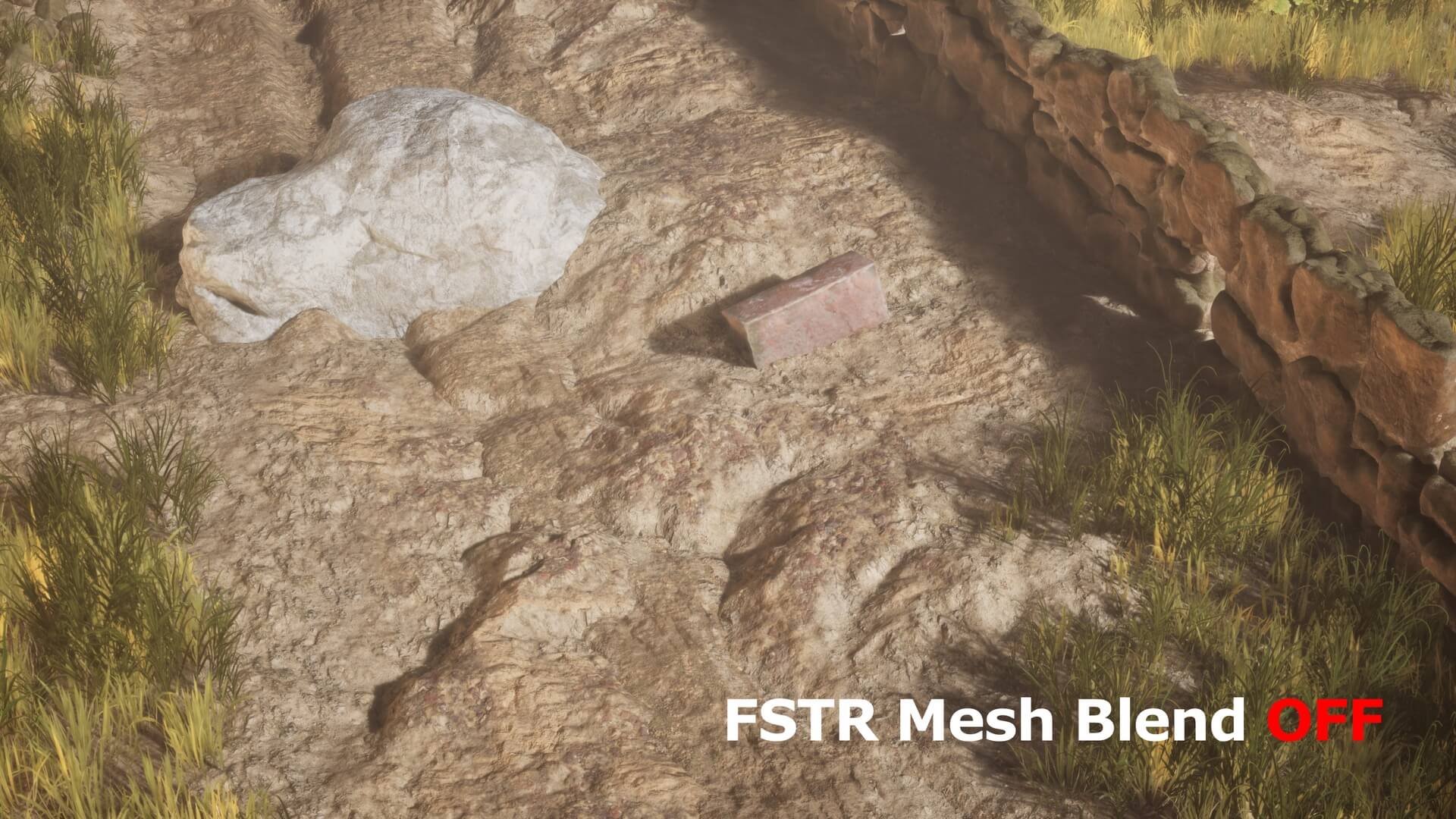
FSTR Mesh Blend Lite is a lightweight real-time mesh blending solution for Unreal Engine designed to remove harsh intersections between meshes and their surroundings.
An easy plug-and-play alternative to RVT landscape blending that fixes ugly mesh seams and creates soft intersections without touching your master materials
No Runtime Virtual Textures.
No master material modifications.
No engine shader patches.
Simply add the FSTR Mesh Blend component to the actors you want to blend and adjust the result directly in the Details panel.
FSTR Mesh Blend uses contact-aware depth validation to distinguish real surface contacts from objects that only overlap from the camera's point of view. Blend widths are controlled in centimeters, allowing the effect to stay visually consistent as the camera moves closer or farther away.
Optional world-space noise can break up perfectly uniform blend edges and create more natural transitions for rocks, terrain, debris and environment assets.
Key Features
- Zero material setup
- No master material edits
- No Unreal Engine shader patching
- Simple per-actor component workflow
- Contact-aware mesh blending
- Rejects many false screen-space overlaps
- Blend widths authored in centimeters
- Separate Core Width and Feather Width
- Adjustable Fusion Strength
- Adjustable Falloff Curve
- Optional world-space edge noise
- Automatic Custom Stencil ID assignment
- Manual Stencil ID override
- Attached child actor support
- Debug views for: Stencil IDs, Accepted seams, Contact rejection, Blend weight
- Works with foliage and instanced geometry where Custom Depth / Stencil is supported
- Source code included
Simple Workflow
- Add FSTR Mesh Blend to an actor.
- Add it to the surface you want it to blend with.
- Done.
Required Project Setting
Set: Project Settings → Engine → Rendering → Postprocessing → Custom Depth-Stencil Pass → Enabled with Stencil
The plugin also attempts to enable the required Custom Depth mode automatically.
Important Notes
FSTR Mesh Blend Lite is a screen-space system.
Fully hidden surfaces cannot contribute in the same way as visible geometry.
Contact rejection is depth-aware and is not a full ray-traced or distance-field nearest-surface solution.
Custom Stencil provides IDs from 1–255 in the current Lite workflow. Objects intentionally sharing the same ID are treated as the same FSTR identity.